How to Replace a HEPA Filter in a Vacuum Cleaner (Step-by-Step Guide)
If your vacuum has started to smell musty, lost suction, or leaves a fine dust cloud behind, the HEPA filter is usually the culprit. A HEPA filter is the last line of defense inside your vacuum. It traps tiny particles such as pollen, pet dander, dust mite debris, and smoke residue before air is released back into your room. Once it is clogged or worn out, it stops doing its job, and your vacuum may actually make your indoor air worse.
The good news is that replacing a HEPA filter is one of the easiest maintenance jobs you can do at home. It takes about five to ten minutes, needs no special tools, and works almost the same way on upright, canister, stick, handheld, and robot vacuums. This guide explains everything you need to know, from spotting a worn filter to installing a new one correctly.
What Is a HEPA Filter and Why Does It Matter?
HEPA stands for High-Efficiency Particulate Air. A true HEPA filter is designed to capture at least 99.97% of particles that are 0.3 microns in size. To put that in perspective, a human hair is roughly 70 microns wide, so a HEPA filter catches particles that are far too small to see.
These filters are made of a dense mat of very fine fibers folded into pleats. The pleats increase the surface area, which lets air pass through while particles get stuck in the fiber web. Over time the web fills up, airflow drops, and the motor has to work harder.
Signs You Need to Replace Your Vacuum HEPA Filter
You do not have to guess. Watch for these common warning signs:
- Weak suction: The vacuum picks up less dirt even though the bin or bag is empty.
- Bad smell: A stale, dusty, or musty odor comes out while you vacuum.
- Visible dust in the exhaust: You can see fine dust blowing out of the vacuum.
- Dirty or discolored filter: The pleats look gray, black, or are packed with debris that will not shake out.
- Overheating or shutting off: A blocked filter restricts airflow, which can make the motor run hot and trigger thermal protection.
- Increased allergy symptoms: Sneezing or itchy eyes after vacuuming can mean particles are escaping.
- Damaged filter: Tears, bent frames, crushed pleats, or a loose seal mean it must be replaced right away.
How Often Should You Replace a HEPA Filter?
The right schedule depends on the filter type and how much you vacuum. Always check your vacuum manual first, because manufacturers set their own guidelines. As a general rule:
- Disposable (non-washable) HEPA filters: every 6 to 12 months.
- Washable HEPA filters: rinse every 1 to 3 months and replace about once a year, or sooner if they look worn.
- Homes with pets, smokers, or allergy sufferers: replace closer to every 3 to 6 months.
- Heavy use or a large home: shorten the interval, as dirt builds up faster.
Types of Vacuum HEPA Filters
True HEPA vs. HEPA-Type
A true HEPA filter meets the 99.97% at 0.3 microns standard. Filters labeled HEPA-type, HEPA-style, or 99% HEPA do not meet that standard. If you have allergies or asthma, choose a true HEPA filter that is made for your exact vacuum model.
Washable vs. Disposable
Washable filters can be rinsed with cool water and reused, which saves money. Disposable filters must never be wet, because water ruins the fibers. Check the filter frame or manual to see which kind you have.
Pre-Motor vs. Post-Motor Filters
Many vacuums have two or more filters. The pre-motor filter protects the motor from dust, and the post-motor (exhaust) HEPA filter cleans the air before it leaves the vacuum. Some models have only one. When you replace the HEPA filter, take a moment to check the others as well.
What You Will Need
- The correct replacement HEPA filter (match the model number)
- Your vacuum owner’s manual
- A trash bag for the old filter and dust
- A soft brush or dry microfiber cloth
- Gloves and a dust mask (optional, but helpful if you have allergies)
Where Is the HEPA Filter Located?
The location depends on the vacuum design. Here are the most common spots:
- Upright vacuums: usually behind a panel near the base, under the dust cup, or in a compartment on the back of the unit.
- Canister vacuums: often inside the body behind the bag or bin, or behind the exhaust grille at the back.
- Stick and cordless vacuums: commonly at the top of the dust bin, beneath the cyclone, or at the rear exhaust.
- Handheld vacuums: typically under the dust cup, in the cup lid, or near the motor housing.
- Robot vacuums: inside the dust bin, sitting under a small cover.
How to Replace a HEPA Filter in a Vacuum: Step by Step
Step 1: Turn Off and Unplug the Vacuum
Safety comes first. Switch the vacuum off and unplug it from the wall. For a cordless or robot model, power it off and remove the battery if the design allows it. This prevents accidental start-up while your hands are inside.
Step 2: Empty the Dust Bin or Replace the Bag
Empty the canister or swap the full bag before you touch the filter. Doing this first stops loose dust from falling onto your new filter. Empty the bin into a trash bag and do it gently to avoid a dust cloud.
Step 3: Locate the Filter Compartment
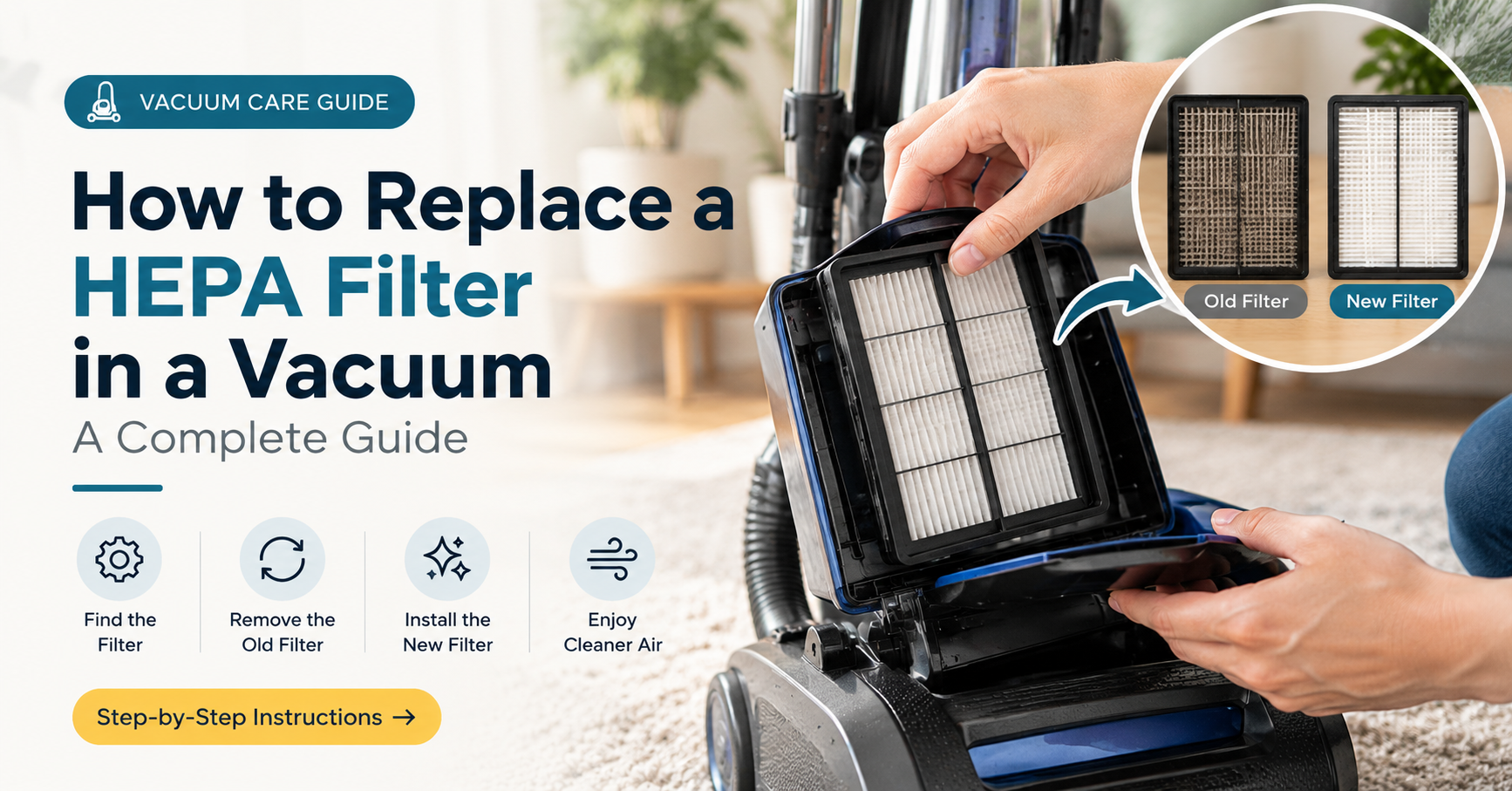
Check your manual or look for a small door, latch, or twist cover with a filter icon. Many vacuums print the filter location on the body. If you lost the manual, search for your model number on the manufacturer’s support page.
Step 4: Open the Compartment
Release the latch, press the tab, or twist the cover counterclockwise, depending on the model. Do not force it. If it feels stuck, look again for a hidden screw or a second release button.
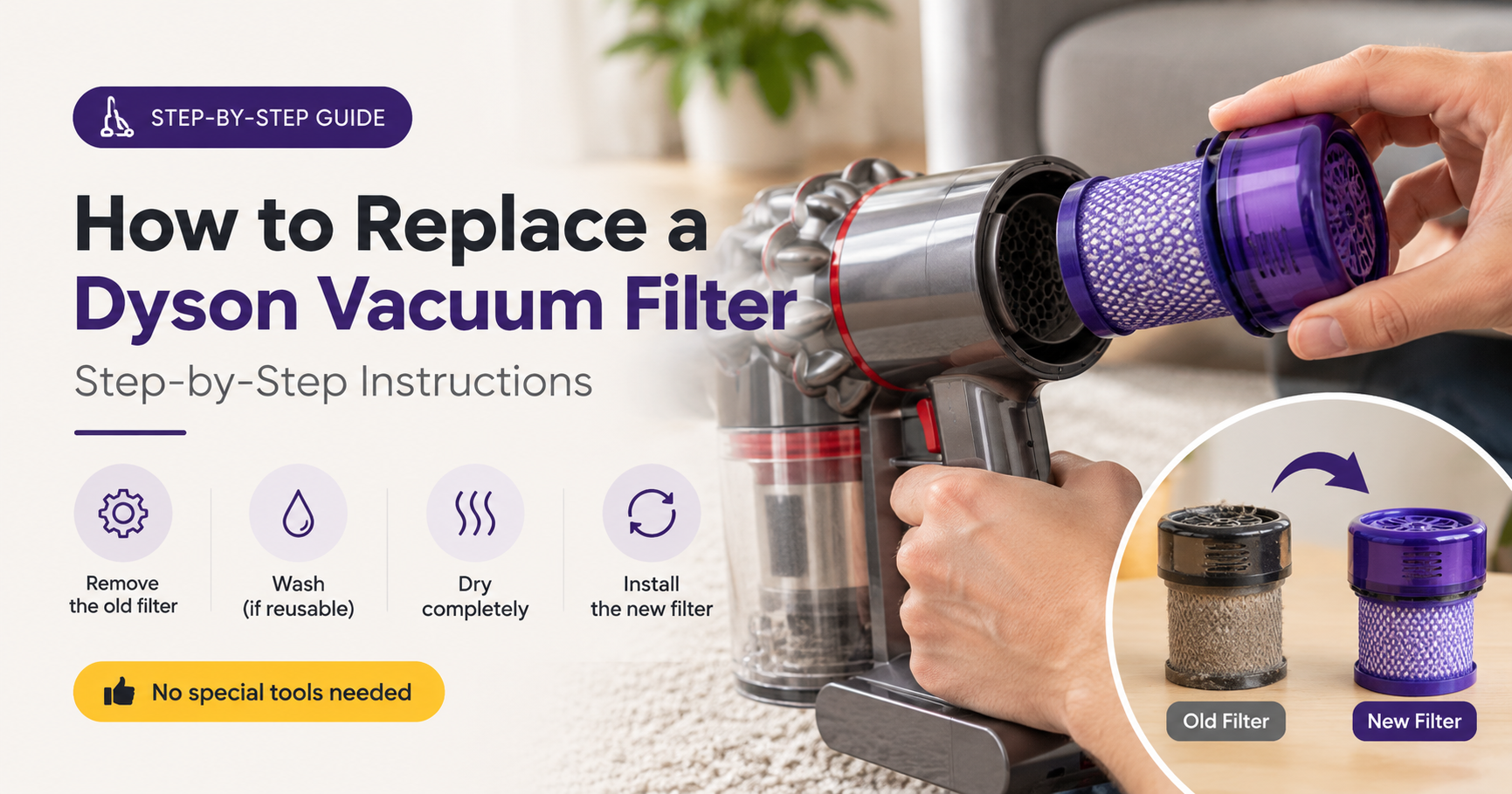
Step 5: Remove the Old Filter
Lift or slide the old filter out slowly, holding it away from your face. Note the direction it was facing, as many filters have an arrow or a “this side in” mark. Drop the old filter straight into the trash bag. Do not tap or shake it indoors, because the trapped dust will fly back into the air.
Step 6: Inspect and Clean the Housing
Wipe the filter compartment with a dry microfiber cloth or a soft brush. Remove dust from the seal edges and the surrounding plastic. Never use water inside the vacuum body. Check the rubber gasket for cracks, as a damaged seal lets unfiltered air leak past the filter.
Step 7: Check the Pre-Motor and Other Filters
While the vacuum is open, inspect any foam or felt pre-filters. Rinse washable ones in cool water, squeeze out the water gently, and let them dry completely for at least 24 hours before reinstalling. Replace them if they are torn or stay discolored.
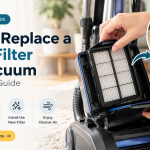
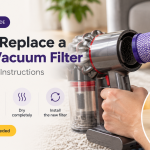
Step 8: Insert the New HEPA Filter
Take the new filter out of its packaging only when you are ready to install it. Hold it by the frame, not the pleats. Match the airflow arrow or orientation marks, and set it fully into the slot. It should sit flat with no gaps around the edges.
Step 9: Close the Compartment Securely
Snap, twist, or screw the cover back on until it clicks or sits flush. A loose cover lets air bypass the filter, which defeats the purpose of the replacement.
Step 10: Test the Vacuum
Plug the vacuum back in and run it for a minute. You should notice stronger suction and no musty smell. If the vacuum makes a whistling sound, the filter may be seated incorrectly. Turn it off and recheck steps 8 and 9.
How to Clean a Washable HEPA Filter
If your filter is labeled washable, you can extend its life with proper cleaning:
- Tap it gently over a trash can, outdoors if possible, to remove loose dust.
- Rinse under cool running water, flowing from the clean side to the dirty side.
- Do not use soap, detergent, or hot water, and never scrub the pleats.
- Shake off excess water, then air dry for at least 24 hours in a well-ventilated spot.
- Reinstall only when it is completely dry. A damp filter grows mold and can damage the motor.
Even washable filters do not last forever. Replace them once the pleats stay discolored, feel stiff, or the suction does not recover after washing.
Common Mistakes to Avoid
- Washing a disposable filter: water destroys the fibers and the filtering ability.
- Installing it backwards: airflow direction matters for both performance and filter life.
- Using the wrong size: a filter that is slightly off leaves gaps that let dust leak through.
- Running the vacuum without a filter: this can ruin the motor within a short time.
- Touching the pleats: oils and pressure from fingers can damage the delicate material.
- Buying cheap unbranded filters: some are not true HEPA and fail to trap fine particles.
Troubleshooting After Replacement
- Suction is still weak: check the hose, brush roll, and bin for clogs, and inspect any pre-filter.
- Odd smell remains: clean the dust bin and pre-filter, and replace the bag if you use one.
- Whistling noise: the filter or cover is not fully seated, so reopen and reseat it.
- Vacuum cuts out: the motor may still be hot, so let it cool and check for blockages.
How to Choose the Right Replacement HEPA Filter
- Match the model number: look for it on the vacuum’s label or in the manual.
- Prefer true HEPA: especially if anyone in your home has allergies or asthma.
- Consider the brand: original manufacturer filters guarantee fit, while reputable compatible filters can cost less.
- Buy multi-packs: they usually cost less per filter and make it easier to stay on schedule.
- Check washable vs. disposable: choose the type that suits your budget and routine.
Tips to Make Your HEPA Filter Last Longer
- Empty the dust bin when it reaches the max line, not after it is overfilled.
- Clean pre-filters regularly so the HEPA filter handles less dust.
- Avoid vacuuming wet messes, fine drywall dust, or ash unless your vacuum is designed for them.
- Set a calendar reminder for your next filter check.
- Keep spare filters at home so you can swap immediately.
Frequently Asked Questions
Can I use my vacuum without a HEPA filter?
It is not recommended. Without the filter, fine dust can reach the motor and be blown back into the room, which can shorten the vacuum’s life and reduce air quality.
How do I know if my vacuum filter is washable?
Check the filter frame, packaging, or manual. Washable filters are usually marked with a water drop or the word “washable.” If there is no mark, assume it is disposable.
Is it safe to tap a HEPA filter clean?
Light tapping of a washable filter outdoors is fine. For disposable filters, avoid tapping or blowing air on them, as this can damage the fibers and release trapped particles.
How long does a HEPA filter last in a vacuum?
Most last between six months and one year. Heavy use, pets, and allergies mean you should replace them sooner.
Do all vacuums have HEPA filters?
No. Many budget models use standard filters. If your vacuum was sold with HEPA filtration, the manual will say so, and replacement parts are available for that model.
Can I use a universal HEPA filter?
Only if it fits your vacuum perfectly. A poor fit leaves gaps, so a model-specific filter is almost always the safer choice.
Final Thoughts
Knowing how to replace a HEPA filter in a vacuum is a small skill that pays off in better suction, cleaner air, and a longer-lasting machine. Unplug the vacuum, remove the old filter carefully, clean the housing, and install the right replacement with the correct orientation. Then set a reminder so you never forget the next change.
A fresh HEPA filter takes only minutes to install, yet it protects your motor and your family’s health every time you vacuum. Make filter care part of your regular cleaning routine, and your vacuum will keep performing like new for years.